


What is a Computer-on-Module (COM)?
A Computer-on-Module (COM) is a compact, integrated computing module that contains the core components needed to power an embedded system. It is also commonly referred to as a System-on-Module (SoM). COM solutions are typically highly integrated and designed to provide substantial computing functionality within a very small board footprint.
A COM typically integrates the processor, memory, storage, and essential interface controllers onto a single board. Rather than operating as a standalone computer, it connects to a carrier board, which provides power delivery, external connectors, peripheral interfaces, and other application-specific features. Depending on the COM standard, industry-defined board-to-board connectors or connector rows carry power and I/O signals between the module and carrier board.
The COM and carrier board work together to form a complete embedded platform. The COM serves as the processing core, handling computing tasks and system operations, while the carrier board connects it to sensors, displays, communication modules, storage devices, and other peripherals required for the application.
This modular design separates the computing platform from the application-specific hardware, making it easier to customize products, simplify hardware development, and upgrade to newer processors without redesigning the entire system.
Components of COMs
A Computer-on-Module combines many of the most complex elements of an embedded computer into one compact package. Depending on the platform and intended application, a typical COM may include the following components:

Central Processing Unit (CPU)
Provides the main computing power and may be based on x86 or Arm architecture.
Graphics Processing Unit (GPU)
Handles graphics rendering, video processing, and certain parallel-computing workloads.
Random Access Memory (RAM)
Provides temporary memory for running the operating system and applications.
Non-Volatile Storage
May include eMMC, flash memory, or other onboard storage for the operating system, firmware, and application data.

I/O Controllers
Manage peripheral interfaces such as USB, PCI Express, SATA, Ethernet, display outputs, and serial communication.

Power-Management Components
Power-management integrated circuits help regulate voltage, control power states, and support energy-efficient operation.

Clock and Support Circuitry
Oscillators supply accurate timing signals to keep the processor, memory, and communication interfaces operating in sync.

Connectivity Controllers
Some modules include support for Ethernet, Wi-Fi, Bluetooth, or other networking technologies.
Key Characteristics of COM
The defining feature of a Computer-on-Module is its modular structure. Developers can combine a standardized computing module with a carrier board specifically designed for their product. This approach provides greater flexibility than building every system component on a single custom board. Here are some key characteristics of COM technology:
Integrated Computing Platform: A COM combines the CPU, memory, storage, graphics, power-management circuitry, and essential interface controllers into a compact module, providing the core computing resources needed for an embedded system. Its high level of integration helps keep the overall computing platform compact.
Modular Architecture: The computing module is separated from the carrier board, allowing developers to reuse the same processing platform while customizing application-specific hardware for different products.
Rich Connectivity: Most COMs include built-in controllers for USB, PCI Express, SATA, Ethernet, serial communication, audio, and display interfaces, simplifying integration with external devices and peripherals. These signals are exposed to the carrier board through standardized or module-specific connectors rather than necessarily appearing as physical ports directly on the COM.
Flexible Processor Options: COMs are available with x86- or Arm-based processors across various performance levels, enabling developers to balance computing power, energy efficiency, software compatibility, and cost.
Software and Development Support: Many COMs include firmware, device drivers, operating system support, and a Board Support Package (BSP), helping reduce development time and simplify system integration.
Standardized and Scalable Design: Industry standards such as COM Express, COM-HPC, SMARC, and Qseven define module dimensions, connectors, and pin assignments. Many module families are pin-compatible, making processor upgrades possible without redesigning the carrier board. Standardized COM platforms are also commonly designed around long embedded-product lifecycles, supporting applications that must remain available for many years.
Customizable Carrier Boards: The carrier board provides application-specific connectors, power inputs, expansion interfaces, and peripheral connections. Depending on the standard, modules may use mezzanine connectors, edge connectors, or solder-down designs to suit different deployment requirements. Companies that need to protect proprietary hardware designs can also develop their own carrier boards internally while using an off-the-shelf COM for the computing core.
Why Use a Computer-on-Module?

Faster Time to Market
A COM eliminates much of the work involved in processor integration, memory design, power management, and high-speed interface routing. Engineers can move from concept to prototype and production more quickly, reducing overall development time.

Simplified Hardware Development
Since the computing core is already designed, tested, and validated, developers can avoid complex tasks such as DDR memory routing, signal integrity optimization, and low-level firmware development, allowing them to focus on application-specific hardware.

Lower Development Costs and Risk
Using a proven computing platform reduces non-recurring engineering (NRE) costs, minimizes design errors, and decreases the number of prototype revisions required. It also reduces the need for specialized expertise in high-speed digital hardware design.

Easy Performance Upgrades
Many COM families are pin-compatible, allowing developers to replace a module with a newer processor or additional memory while keeping the same carrier board. This can make it possible to move to a newer CPU generation simply by changing the COM rather than redesigning the complete circuit board, simplifying product upgrades and helping extend system lifecycles.

Flexible and Scalable Product Design
A single carrier board can support multiple COM variants with different processor and memory configurations. This enables manufacturers to develop entry-level, mid-range, and high-performance products from the same hardware platform.
Conversely, when several product models require different I/O configurations but similar computing performance, manufacturers may be able to use the same COM across those products while customizing only their carrier boards.
Simpler Carrier Board Design
Because the module contains the processor, memory, and other complex circuitry, the carrier board primarily handles power distribution and peripheral connections. This often results in simpler PCB layouts and easier hardware development. It also gives manufacturers greater freedom to keep application-specific carrier-board circuitry proprietary when confidentiality is important.

Longer Product Lifecycles
When computing requirements change or processors become obsolete, manufacturers can often upgrade the COM instead of redesigning the entire system. This extends product longevity while protecting previous engineering investments. Industry-standard COM platforms and long-life module programs can further help manufacturers maintain embedded products over extended deployment periods.

Greater Engineering and Supply-Chain Efficiency
By relying on a pre-integrated computing platform, development teams can spend more time optimizing software, user experience, and application-specific features. At the same time, consolidating key computing components into a single module simplifies supply-chain management and component sourcing.
Using the same COM across multiple product models can further reduce the number of computing modules that must be stocked, simplify inventory management, increase purchasing volumes for a single platform, and potentially strengthen negotiating power with suppliers.
What are the COM Applications in Different Industries?
Computer-on-Modules are used wherever embedded systems need compact computing power, flexible integration, and room for future upgrades. From factory equipment and medical devices to connected vehicles and digital displays, COMs provide a versatile foundation for application-specific systems. Below are some of the most common Computer-on-Module applications across major industries.
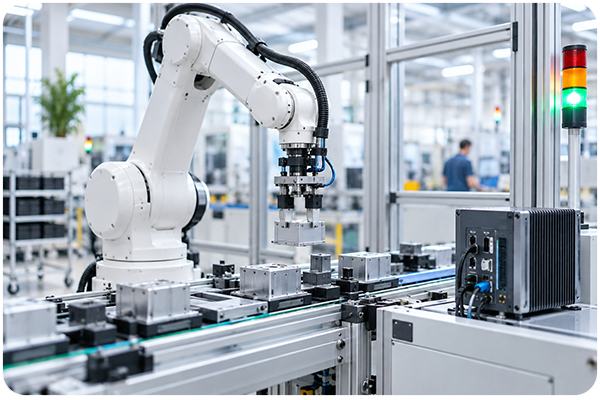
Industrial Automation
COMs are widely used in industrial automation systems that monitor equipment, control machinery, and process production data. Their modular architecture allows manufacturers to build compact industrial computers while selecting the processor, memory, and connectivity options required by each application. In smart factories, COMs can process sensor and machine data locally, helping equipment respond more quickly and reducing dependence on remote servers. Here are some common applications of industrial Computer-on-Module solutions:
- Robotic control systems
- Programmable machine controllers
- Human-machine interfaces
- Machine vision systems
- Automated production equipment
- Factory monitoring platforms

Healthcare and Medical Devices
Healthcare equipment often requires compact, stable, and high-performance computing platforms. COMs can be integrated into diagnostic, monitoring, imaging, and portable medical systems while allowing developers to customize the carrier board around specific sensors, displays, and communication interfaces. Typical applications include:
- Patient-monitoring systems
- Medical imaging equipment
- Diagnostic and laboratory devices
- Portable medical equipment
- Surgical and treatment systems
- Internet of Medical Things gateways

Automotive
COMs support many automotive applications that require compact computing power, multimedia performance, and reliable data processing. They may be used in both onboard vehicle systems and supporting automotive equipment. Common applications include:
- In-vehicle infotainment systems
- Digital instrument clusters
- Driver-monitoring systems
- Navigation platforms
- Fleet-management devices
- Advanced driver-assistance systems
The modular structure of a COM also allows developers to create different vehicle-system configurations using a shared carrier board and modules with different performance levels.
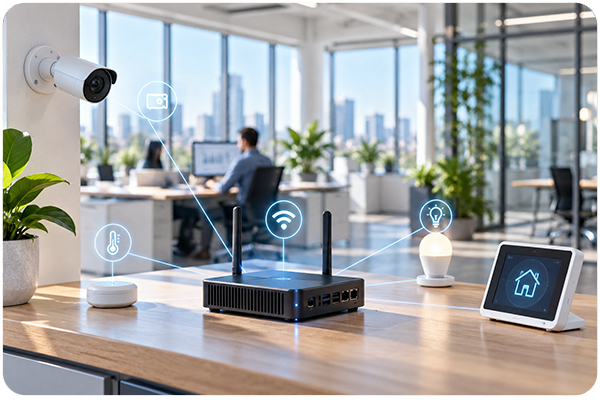
IoT and Edge Computing
COMs are commonly used in IoT gateways and edge-computing systems that connect sensors, machines, and cloud platforms. These devices collect information from multiple sources, translate communication protocols, and process selected data close to where it is generated. Local processing can reduce network traffic, improve response times, and allow critical functions to continue even when cloud connectivity is limited. Here are some examples:
- Industrial IoT gateways
- Smart-building controllers
- Energy-management systems
- Environmental-monitoring devices
- Remote equipment-management platforms
- AI-enabled edge systems

Digital Signage
Digital signage systems require reliable graphics performance, support for high-resolution displays, and the ability to manage multimedia content continuously. COMs provide a compact computing platform that can be integrated into displays, kiosks, and interactive information systems. Typical applications within this field include:
- Retail advertising displays
- Interactive kiosks
- Menu boards
- Wayfinding systems
- Information displays
- Video walls
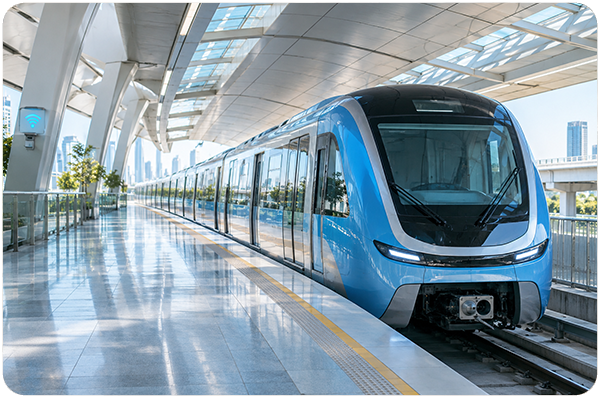
Transportation
Transportation systems use COMs in onboard computers and infrastructure equipment that must process data reliably under continuous operation. Rugged modules may also support extended temperature ranges and resistance to vibration and shock. COM-based systems can support real-time location tracking, passenger updates, video processing, communication, and operational monitoring across public and commercial transportation networks. Common applications include:
- Passenger information systems
- Railway control and monitoring equipment
- Public transit terminals
- Fare-collection systems
- Vehicle-tracking devices
- Traffic-management platforms
How to Choose the Right COM
How to Choose the Right COM
Selecting the right Computer-on-Module (COM) requires more than just matching processor specifications. Since the module serves as the computing core of an embedded system, the decision can affect overall performance, carrier-board design, software compatibility, and future upgrade options. Let’s take a closer look at what factors to consider:
Performance and Processing Requirements
The module should provide enough CPU, GPU performance, memory capacity and bandwidth, and accelerator capabilities for the intended workload without adding unnecessary cost or power consumption. Basic IoT gateways and control systems may require only a low-power multicore processor, while machine vision, medical imaging, and AI inference applications may need integrated graphics, higher memory bandwidth, or a dedicated neural processing unit.
Choosing the most powerful module is not always the best approach, as excessive performance can increase heat generation, cooling requirements, and system cost. Engineers should instead match the processor architecture, core count, memory capacity, graphics capabilities, and real-time performance to the actual application requirements.
Power Consumption and Thermal Management
Power consumption is especially important in fanless, mobile, battery-powered, and space-constrained systems. Engineers should consider both typical and peak power use, along with the module’s heat-spreader, heat-sink, airflow, and enclosure requirements.
A module may perform well during short tests but throttle or become unstable under continuous workloads if heat cannot be dissipated effectively. The overall thermal design should therefore account for the operating environment, maximum temperature, sustained processor load, and available cooling methods.
Operating System and Software Support
The processor architecture influences which operating systems, drivers, tools, and application frameworks the module can support. x86 modules are commonly used with Windows and mainstream Linux distributions, while Arm modules are often paired with Android, embedded Linux, or Yocto Project-based systems.
Engineers should confirm the availability of a stable Board Support Package, device drivers, firmware, BIOS or UEFI support, security updates, and required development frameworks. Long-term software maintenance is also important because an unsupported BSP can create compatibility and security problems later in the product lifecycle.
Required Interfaces and Expansion Options
The module must provide the interfaces required by the carrier board, peripherals, displays, storage devices, sensors, and communication equipment. These may include specific high-speed interfaces (PCIe, Gigabit Ethernet, USB 3.0), as well as low-speed interfaces (I2C, SPI, UART).
Engineers should check more than whether an interface appears in the specifications. They should also confirm the supported version, number of available channels, bandwidth, pin assignments, and whether certain interfaces share pins or resources.
Form Factor and Carrier-Board Compatibility
The selected form factor determines the module’s dimensions, connector arrangement, pin assignments, and available interfaces. Common standards include COM Express, COM-HPC, SMARC, and Qseven, while some products use proprietary or solder-down module designs.
The form factor should suit the system’s size, performance, expansion, mechanical, and upgrade requirements. Modules based on the same standard are not always directly interchangeable, so engineers must verify pin compatibility, power requirements, firmware, thermal design, and interface support before replacing one module with another.
Environmental Durability
Industrial, transportation, defense, and outdoor systems may be exposed to temperature extremes, humidity, shock, vibration, dust, electromagnetic interference, and continuous operation. The selected COM should therefore meet the environmental requirements of the final application.
An industrial-grade module alone does not make the complete system rugged. The carrier board, storage devices, connectors, cooling solution, power supply, and enclosure must also be designed and tested for the same operating conditions.
System-on-Chip (SoC) vs. COM/SoM vs Single-Board Computer
A System-on-Chip, Computer-on-Module, and Single-Board Computer represent different levels of embedded-system integration. Although the terms are sometimes used interchangeably, they refer to distinct hardware products and development approaches.
What Is a System-on-Chip (SoC)?
A System-on-Chip (SoC) integrates major computing functions, including CPU cores, GPU, memory controllers, communication interfaces, and security features, onto a single semiconductor chip.
Unlike a COM, an SoC is not a ready-to-use computing platform. Developers must design a PCB and integrate external components such as memory, storage, power management, clocks, and connectors.
While this approach provides maximum design flexibility and can reduce unit costs in high-volume production, it also requires significant expertise in hardware design, firmware development, and system validation.
What Is a Single-Board Computer (SBC)?
A Single-Board Computer (SBC) is a complete computer built on a single PCB with integrated processing, memory, power circuitry, storage support, and common I/O ports such as USB, Ethernet, and display outputs.
Unlike a COM, an SBC typically does not require a carrier board and can operate immediately after connecting power and peripherals. This makes SBCs ideal for prototyping, software development, research, and low-volume projects. However, because the hardware is fixed, they offer less flexibility for customization and long-term product optimization.
| Feature | SoC | Computer-on-Module (COM) | Single-Board Computer (SBC) |
| Physical form | Single semiconductor chip | Modular computing board | Complete computer on a single PCB |
| Ready to use | No (requires system-level hardware) | No (requires carrier board) | Yes |
| Custom hardware | Full PCB required | Custom carrier board only | Limited, typically through expansion interfaces |
| Hardware customization | Very high | High | Limited |
| Development complexity | High | Moderate | Low |
| Time to market | Longest | Faster than SoC | Fastest |
| Upgrade flexibility | Low | High (through compatible modules) | Limited |
| Best suited for | High-volume custom products | Industrial, medical, robotics, edge AI, IoT | Prototyping, research, education, low-volume deployments |
- SoCs are best for highly customized, high-volume products where maximum optimization justifies the engineering effort.
- Single-Board Computers offer the fastest path to a working system but provide limited customization.
- Computer-on-Modules bridge the gap, delivering a pre-integrated computing platform while allowing developers to build a custom carrier board tailored to the final application.
AAEON—Your Partner for Reliable Arm Computer-on-Module Solutions
As a leading Computer-on-Module manufacturer, AAEON offers several industry standard Computer-On-Modules. Basic, Standard and Nano type COM Express, XTX and ETX, right down to the tiny Qseven (Q7) Modules are available with validation carrier boards. Customized services for dedicated carrier boards are available upon request.
- COM Express Modules
- XTX Modules
- ETX Modules
- Qseven Modules
- Carrier Boards
Services
- ODM & Customization Services
- Q-Service (Embedded boards, Computer-On-Module)
- Embedded Software Services
- BIOS Customization Services
- Extended Warranty





close
We’re just a message away! Let us help with your needs.
Get a Quote